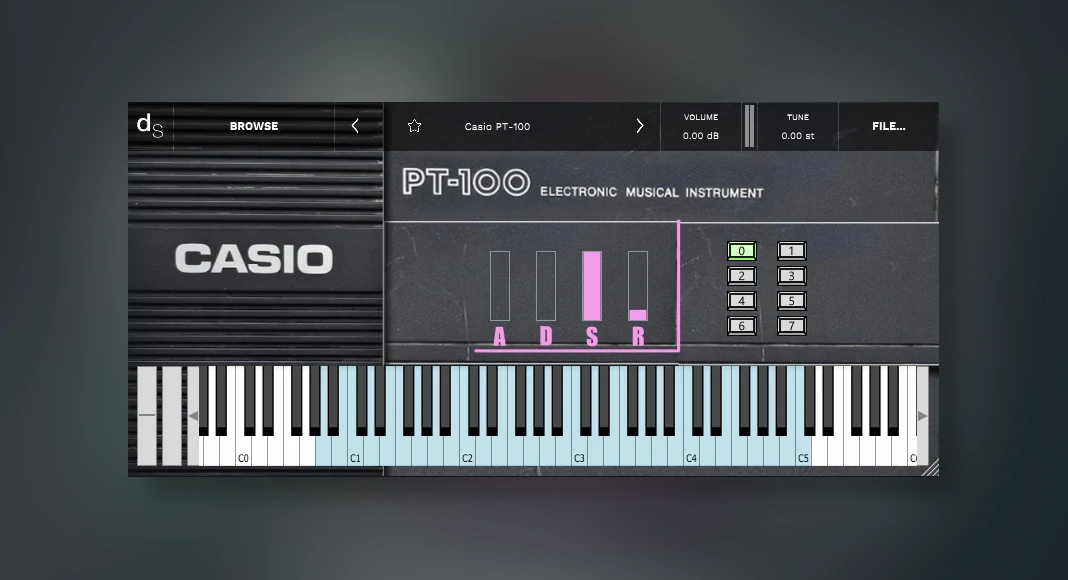
Looking for a vintage piano VST plugin that will take you back to the 80s? Then this Casio PT-100-based virtual instrument is the one!
Casio PT-100, designed and developed by Necatuss.
Also, if there are any modern music producers out there looking for a vintage piano virtual instrument (sample-based), then Casio PT-100 is definitely a great choice.
Yes, this piano VST plugin is very simple and very basic; it comes with minimal modulations and minimal settings, making this an awesome vintage-style VST piano plugin with high-quality sound output.
Check it out in action below.
Installing Casio PT-100 can be quite confusing!
Here at ProducersBuzz we wanted to outline that installing this plugin can be quite tricky, so we have made a step-by-step guide below on installing this piano extension inside the Decent Sampler VST.
- Install the decent sampler VST (free), required for this Casio piano VST to work.
- Install Casio PT-100 from Necatuss; this is also free.
- Install the Casio PT-100 VST folder inside the main VST plugin folder.
- Open the Casio VST plugin inside the decent sampler.
- Done! Vintage Piano VST has been successfully installed and should be fully working!
Also, we have also outlined how to open the Casio VST plugin inside a Decent Sampler. Please note that this plugin (extension) has not been added to its automatic downloadable library, as this is a 3rd-party plugin designed by Necatuss, meaning it will need to be installed manually.
Furthermore, after you successfully install the VST plugin inside the VST plugin folder. We have made a step-by-step guide which should guide the manual installation processes.
Then, you will need to select the “browse” feature within the decent sampler; it has been highlighted below.
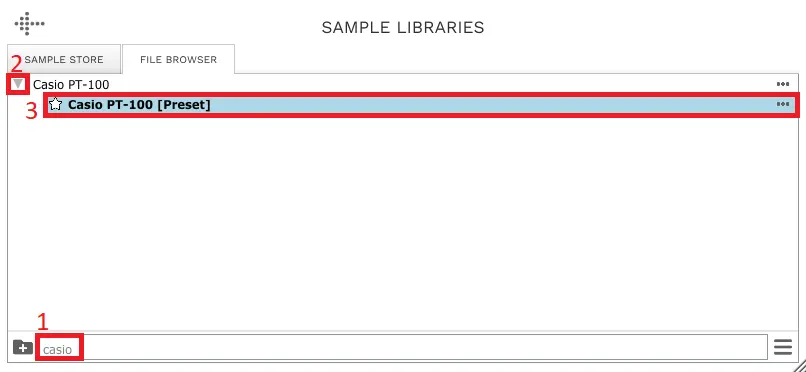
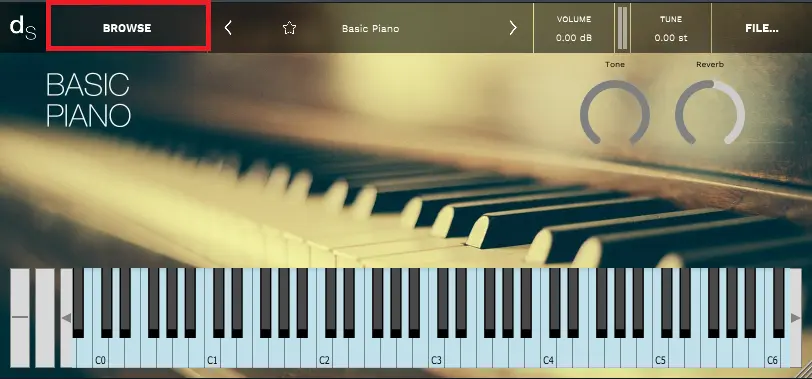 Then, follow the three steps shown below.
- First, search for “Casio”; this should show the main Casio PT-100 VST plugin.
- Second, click on the arrow pointing left to show the full VST plugin.
- Third, select the main “Bold” preset plugin.
All 3 options have been highlighted in red and numbered in the below image.
This should then load up the main VST plugin, as shown below.
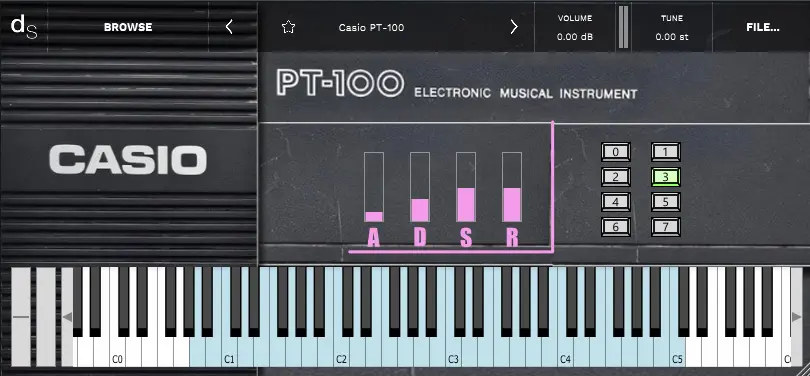
That is all!
Ultimately, here at ProducersBuzz, we have listed loads of great free piano VST plugins, which are well worth checking out!
Main Features of Casio PT-100 Piano VST
- ADSR modulation features.
- 0-7 different sound output modes (8 different presets).
- Velocity output settings.
- Ability to save presets.
- Resizable UI.
- Low on CPU.
Buzz overview of Casio PT-100 Audio Plugin
When it comes to simulating a highly vintage VST plugin from the 80s, Casio PT-100 is definitely the one to download and get, as the sound signal output perfectly simulates the vintage original piano synthesizer.
Also, we wanted to highlight that this plugin is super cool and retro; it will bring back that 80s piano sound output. The sound output is very clear and a perfect fit for all modern music production-related projects.
Indeed, this plugin is 100% free to download and free to use!
Download Info
- Supports: Windows and macOS.
- Comes in VST, VST3, AU and AAX plugin formats.
- Free to download (external); a decent sampler VST is required (free).