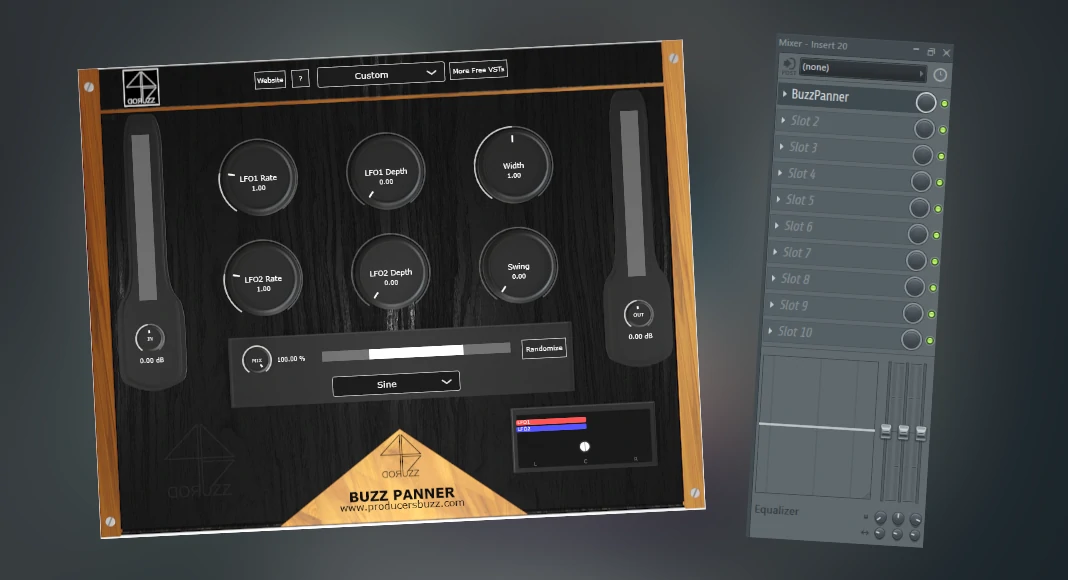
The free “Buzz Panner” VST is a unique VST plugin which can automatically pan hi-hats left and right.
We wanted to showcase some of the potential that our Buzz Panner VST can deliver inside a professional studio for all types of music producers.
Inside this music production hi-hat auto pan tutorial, we will be using FL Studio as a demonstration digital audio unit.
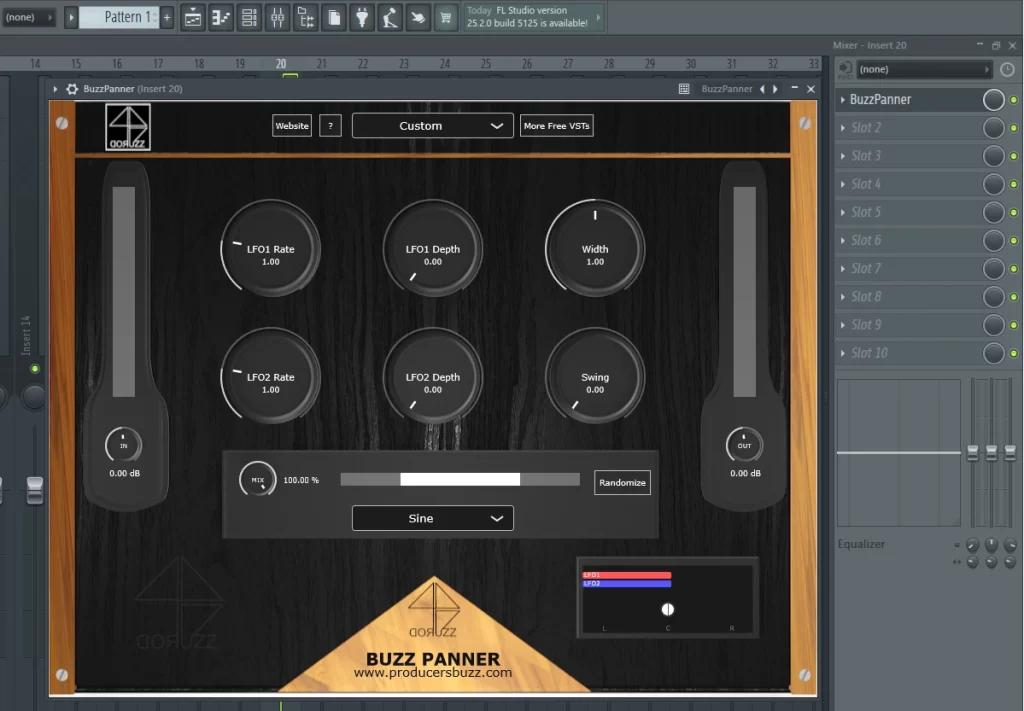
Also, the same effects can be applied across most major DAWs, such as Logic Pro, Reaper, Ableton Live, Cubase and many others which support the use of VST3 and AU plugin formats.
This plugin is free to download and free to use; it has been developed by Producersbuzz to help all types of modern music producers.
Also, we wanted to show some of the VST plugin’s features and how to automatically pan the stereo effect left and right.
Finally, we will provide some free-to-use hi-hat panning preset attributes below, which should help and guide all upcoming and modern-style music producers and sound designers.
The Original Hi-Hat Loop without any Effects
Indeed, we will be using a simple hi-hat loop designed and composed inside FL Studio as a demonstration, without any hi-hat panning effects. Check it out below; this is the original sound output.
Automated Hi-Hat Pan Effects with Modulation Settings
Here at ProducersBuzz, we will demonstrate some attributes and modulation settings which can be used to automatically pan the hi-hats using the Buzz Panner VST.
Hi-Hat Left and Right Automation Settings 1
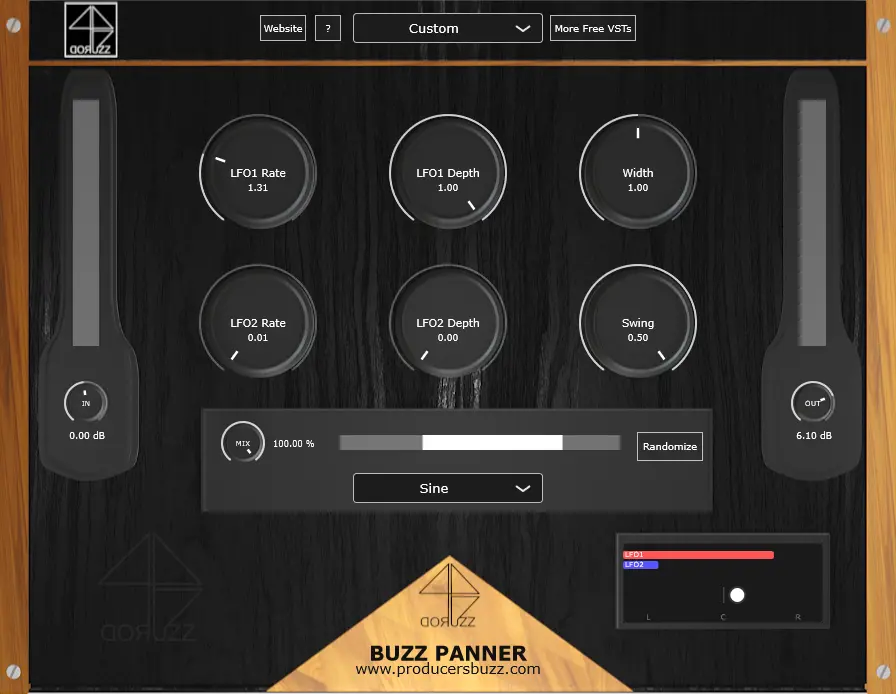
The modulation attributes which have been used are shown below.
- LFO1 Rate 1.31
- LFO1 Depth 1.00
- Width 1.00
- LFO2 Rate 0.01
- LFO2 Depth 0.00 (this turns the 2nd LFO off).
- Swing 0.50
- Wave shape “Sine”
- Out (gain) 6.10
Hi-Hat Left and Right Automation Settings 2
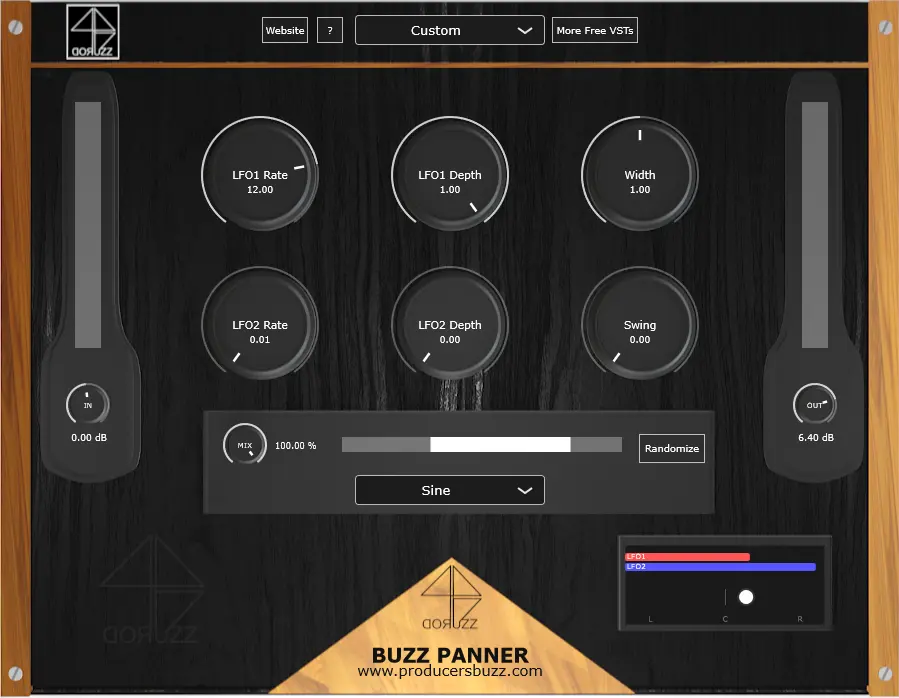
The modulation attributes which have been used are shown below.
- LFO1 Rate 12.00
- LFO1 Depth 1.00
- Width 1.00
- LFO2 Rate 0.01
- LFO2 Depth 0.00 (this turns the 2nd LFO off).
- Swing 0.00
- Wave shape “Sine”
- Out (gain) 6.40
Hi-Hat Left and Right Automation Settings 3
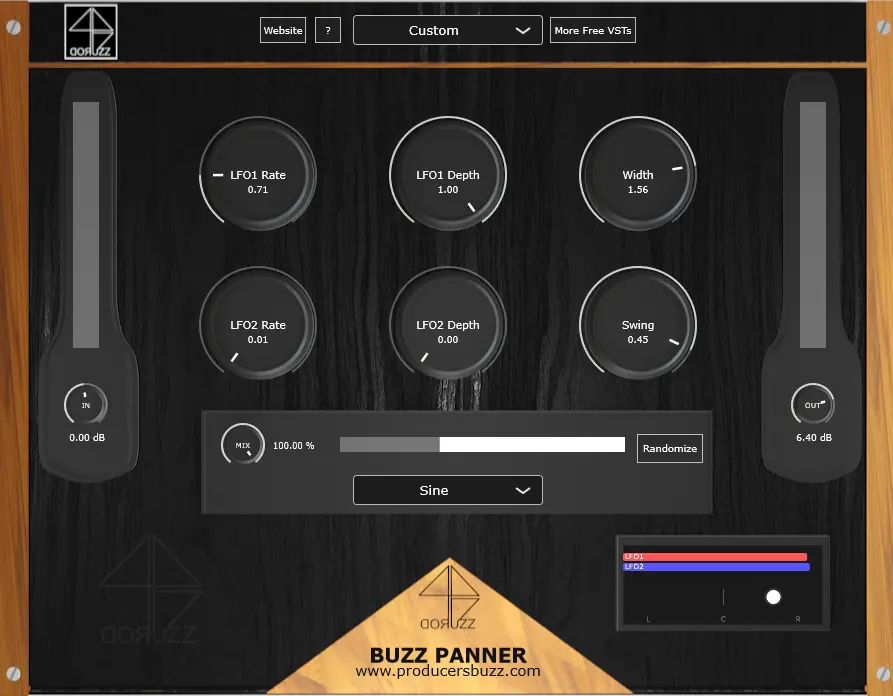
The modulation attributes which have been used are shown below.
- LFO1 Rate 0.71
- LFO1 Depth 1.00
- Width 1.56
- LFO2 Rate 0.01
- LFO2 Depth 0.00 (this turns the 2nd LFO off).
- Swing 0.45
- Wave shape “Sine”
- Out (gain) 6.40
How can this auto-pan effect be used in modern music production?
The LFO1 rate can be adjusted for left and right panning LFO effect speed, making the pan effect sound faster with a lower attribute input and slower with a higher integer input. This can be used to manually match the tempo of the musical composition and panning automation, which is required by the music producer or sound designer.
This auto-pan effect can be used to automatically add panning effects to any style of hi-hat and can be used on any style of genre.
Buzz Panner has been designed and developed to make things much easier when it comes to automation and panning effects.
Using this technique will speed up the music production experience and make things much easier for anyone using this free VST plugin.
Again, if anyone is interested in trying out the Buzz Panner audio plugin, it’s completely free, and you can download it below.
Where can you get the free Buzz Panner VST plugin?
Buzz Panner VST has been designed and developed by ProducersBuzz; this is one of our official VST plugin releases, and it’s free for all music producers worldwide.
More Info & Download: Buzz Panner VST